
If you want to connect with internet world or social media world Facebook is the one of the way to start your internet discover journey, it is easy to use app, thats helps you can watch videos do connect with your friends and family members or you can find some new friends easily on facebook, you can make fun with sharing videos, photos and chatting.
On facebook available daily billions of active users to thats helps you can’t only use facebook for connecting peoples, making friends or making fun and you can also use this app or website to growing your business, thats helps you can grow your business by creating facebook page and you can also use facebook marketplace.
The website facebook.com consistently ranks in the top 3 most visited sites in the U.S., amassing around 10.5 billion visits per month and globally, Facebook sees about 22 billion visits per month, with 98% of traffic coming from mobile users, according to ChatGPT.
In this article I will guide you how to create Facebook account, this article helps you can create Facebook account easily, I will guide you how you can create Facebook account from phone and how you can create Facebook account from web, I’ll guide you both ways.
Reasons Why You Need to Create Facebook Account –
- If you create account on facebook, you can connect with your friends and family members and you can make new friends to make fun with sharing photos and videos or chatting.
- You can get access of groups, events, the marketplace and you can also join groups related to your hobbies, profession, education, or local community.
- You can discover local service thats means is you find nearby events, businesses, jobs, and services, making it a useful tool for everyday life.
- You can also stay updated with your favorite news pages, influencers, celebrities, and brands to keep up with what’s trending across the world.
- If you want to promote a business, start a blog, or build a public profile, you need a Facebook account to create Pages and run ads and many apps and websites allow you to sign in using your Facebook account, saving you the trouble of remembering multiple passwords.
How to Create Facebook Account from Phone –
If you wanna create Facebook account from through of your smartphone device follow these simple steps –
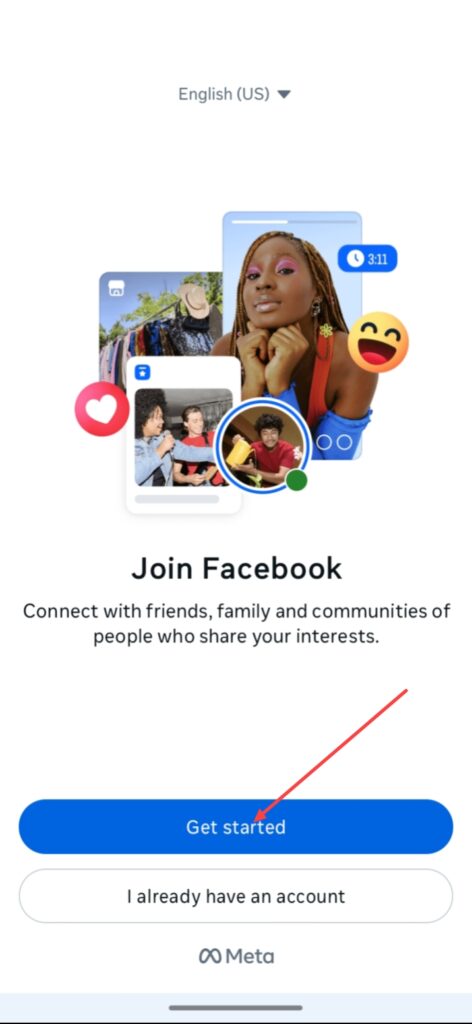
If you wanna create facebook account from your phone, simply Install and open your facebook app, if you open your facebook app you can see this type of interface.
And click on the Get started button.
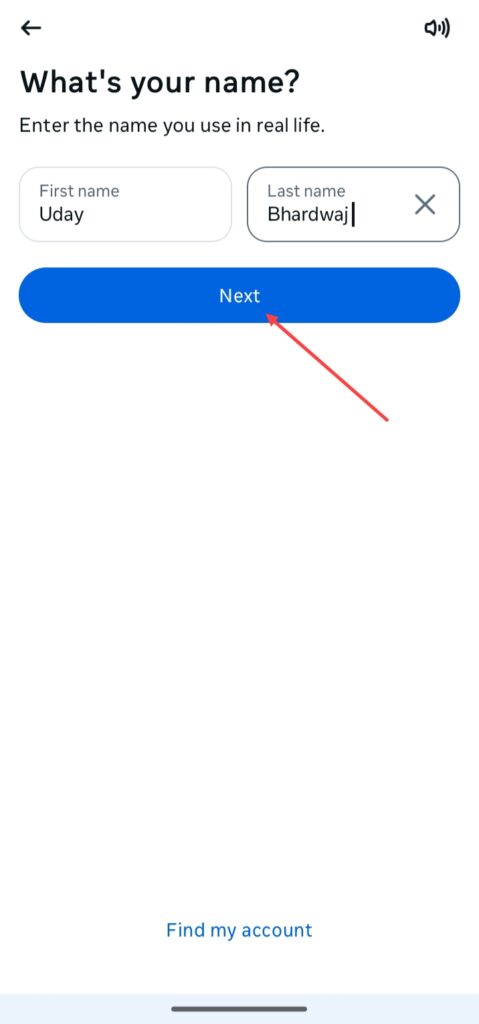
And type your First name and Last name, i enter the name is just for example, enter your name according to you, click on the Next.
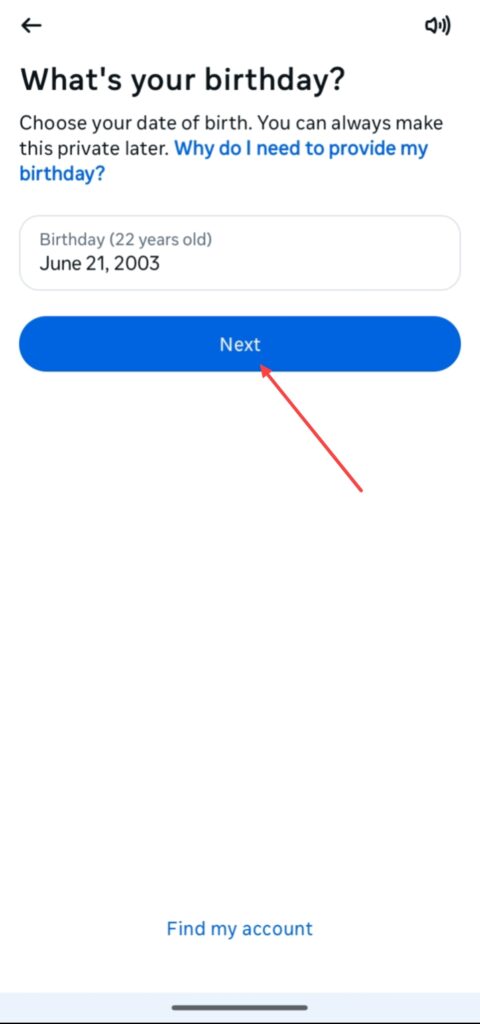
After clicking the Next button, enter your birthday and click on the Next again.
Add your Gender and click Next.
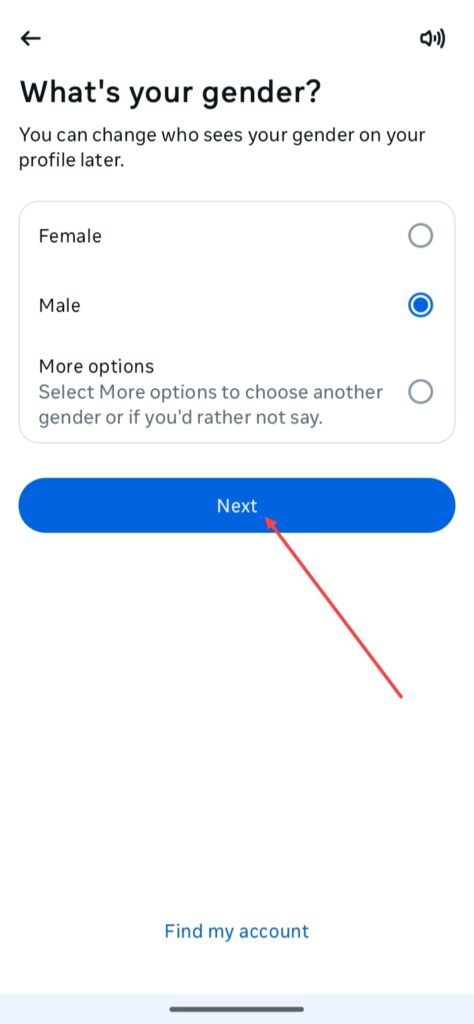
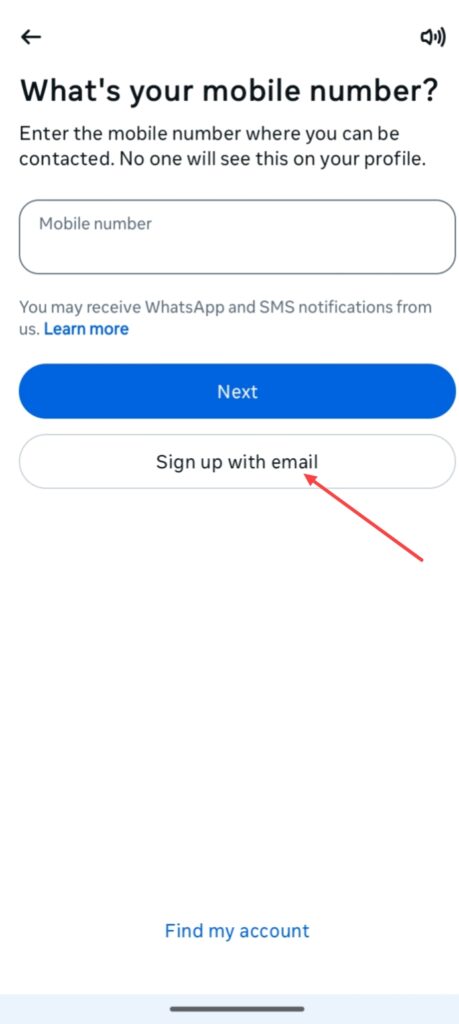
After this you will have to enter your mobile number but your do sign up with your email address, in this case we enter our email address, i enter my this email just for example, for entering your email, click on the Sign up with email.
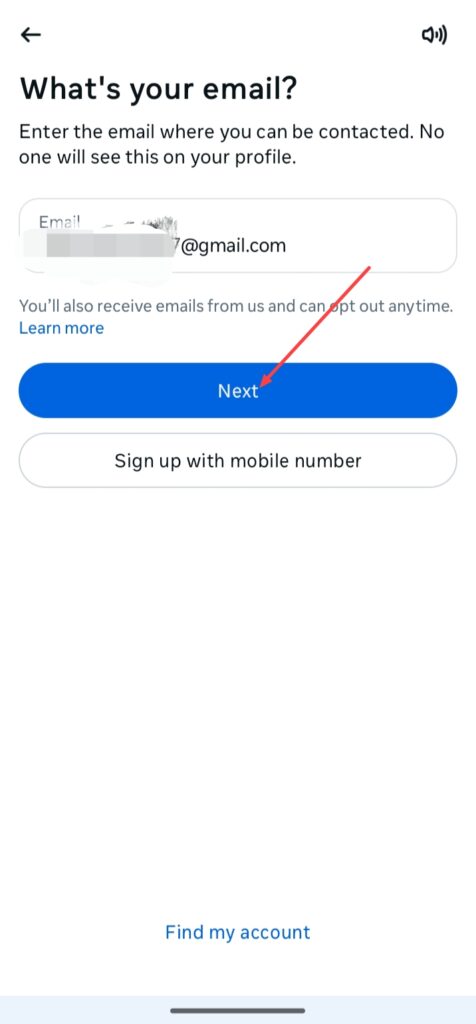
After entering your email address click on the Next.
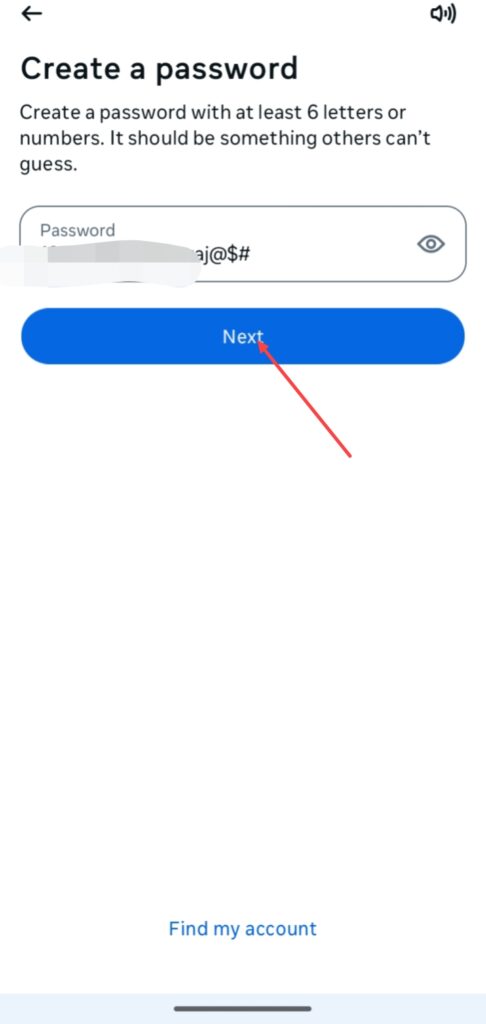
After doing these all, create a strong pasword for protecting your facebook account and click on the Next.
Finally your facebook account has been created.
So, this was the step-by-step guide of how to create Facebook account from help of your smartphone device.
How to Create Facebook Account from Web –
If you wanna create your Facebook account from your computer or laptop follow this step-by-step guide of how to create Facebook account from web –
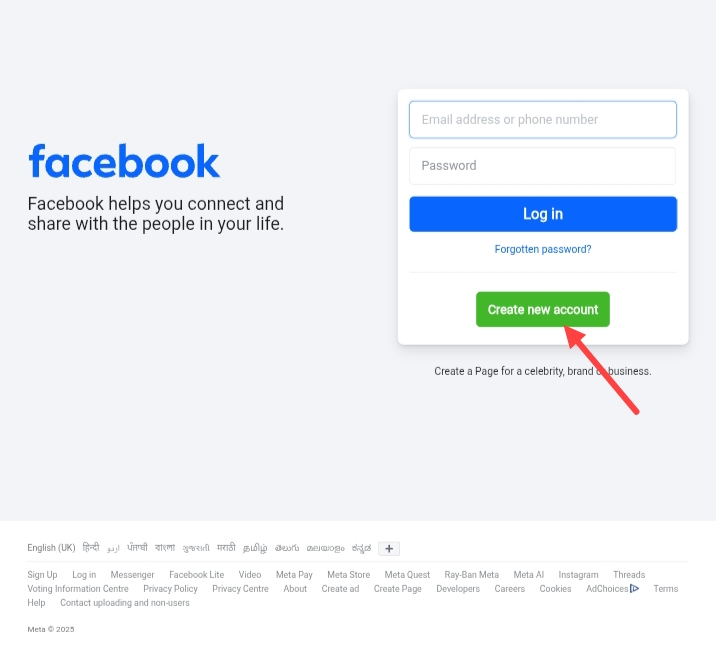
If you wanna create Facebook account from web, open any web browser in your laptop or desktop and search on google facebook, click on the facebook.com and you can see this type of interface.
Click on the Create new account.
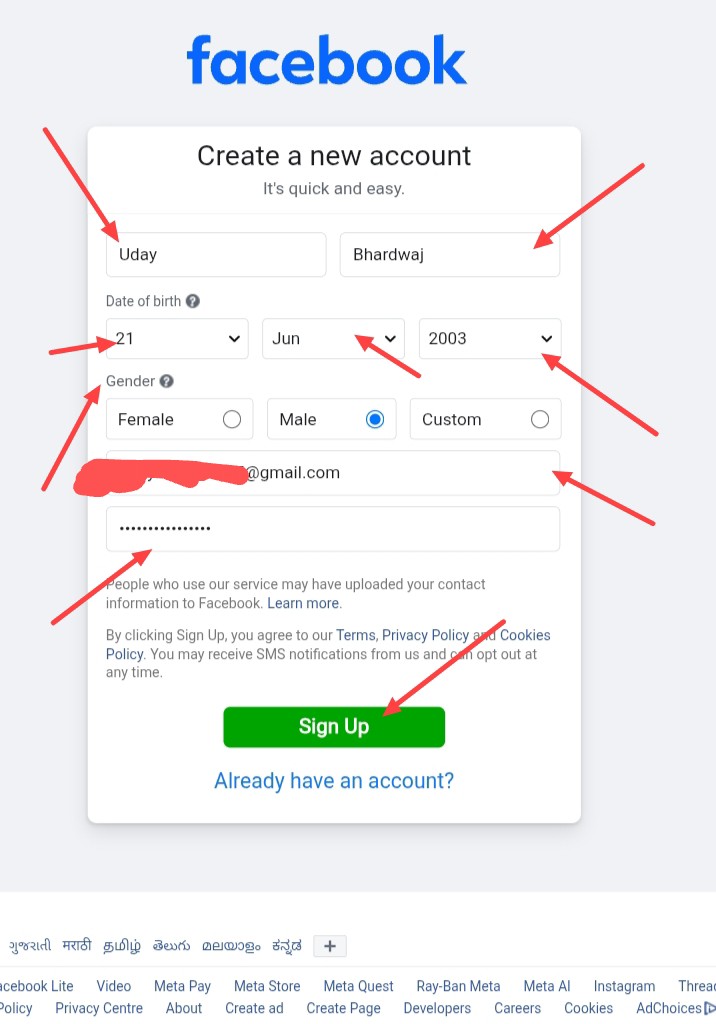
After click on Create new account, you can see this form, fill up this form enter your First name, Surname, Date of birth, Gender, Mobile number or email address and enter a strong pasword for protecting your facebook account.
I fill up this form is just for example, enter your information according to your needs.
And click on the Sign Up.
After doing this, facebook can will ask you Do you already have a Facebook account, if you have already facebook account, simply click on the Yes, Find My Account you can get your old facebook account but if you’ve not any facebook account click on the No, Create New Account, I click on the No, Create New Account.
After this Facebook can ask you for save your account information in facebook because if you wanna do login in your account again you can do this easily without entering password, but you wanna not, you can click on the Not now.
After doing this finally, your Facebook account has been created.
FAQ –
Question; Do I have to use my real name on Facebook?
Answer; Using your real name or you need to create your Facebook account from your real name it is not the strict policy of Facebook.
But facebook always says – To make sure people know who they’re connecting with, we ask everyone to use the name they use in everyday life on their Facebook account. We block the use of certain names to help prevent people from creating fake or malicious accounts.
Question; Can I create Facebook account without phone number?
Answer; Yes, you can create a new Facebook account without using any phone number, it is not necessary.
Question; What is the most popular Facebook account?
Answer; These are top 5 most popular Facebook accounts – Cristiano Ronaldo, Samsung, Facebook, Mr. Bean and 5-Minute Crafts.
Question; Are Instagram and Facebook connected?
Answer; Yes, Instagram and Facebook is connected because of these both platforms have same owner, that is Meta, maybe you already know about this, you can also do connect and disconnect your Facebook account from your Instagram account.
Conclusion –
It is the all process who i will already shared with you, how to create Facebook account from help of your smartphone device or from help of your computer or laptop devices, in this article I provided you all information about facebook account creation.
And after creating Facebook account you can connect with internet world and social media world, I hope it is helpful for you, if you’ve any question about this article or our website you can do comment or you can send email from our contact form.