
In this Internet world google is the most important to use, if you’ve internet you need must have a google account to use google services because google account is the key of accessing google services without this account you can’t use properly their services.
Without google in the internet world you lock in a room and you’re losing a good knowledge and opportunity of growth.
After creating google account you can use google services like Google Mail, YouTube, Play Store, Google Drive and other services.
If you don’t know how to create google account don’t worry, in this article I will teach you from both devices phone and computer.
What Things You Need for Creating a Google Account –
- Your Name
- Your Phone Number (Optional)
How to Create Google Account From Phone –
If you wanna create a Google Account from your smartphone device follow these steps –
If you want to create a Google account from your phone, simply open Google app or other Google services apps like Gmail, YouTube, Google Drive, and any other app.
But in this article, I will show you from the Google app.
First, Open Your Google app.
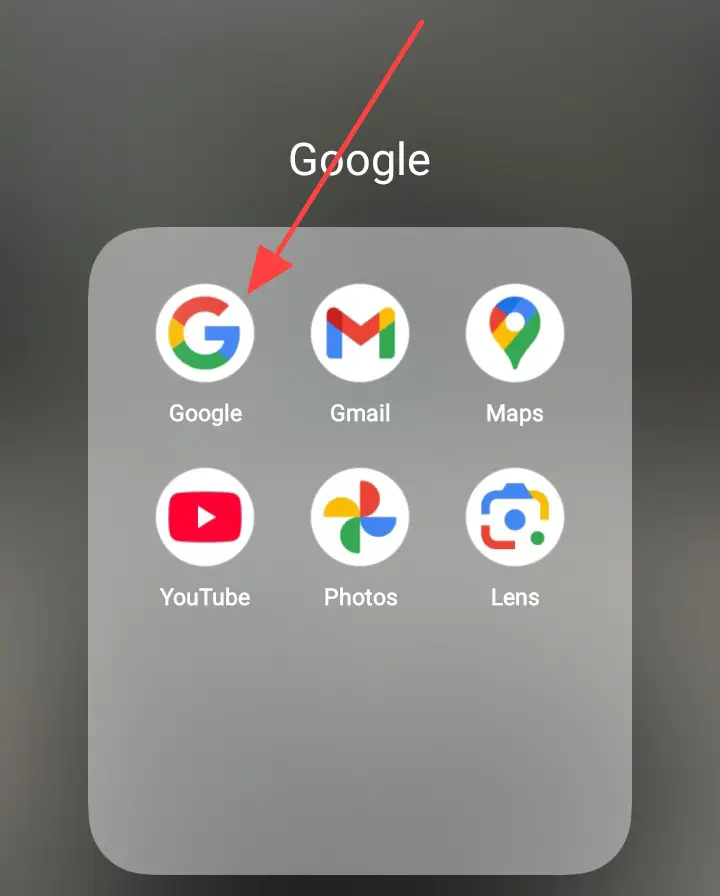
And click on this goal icon.
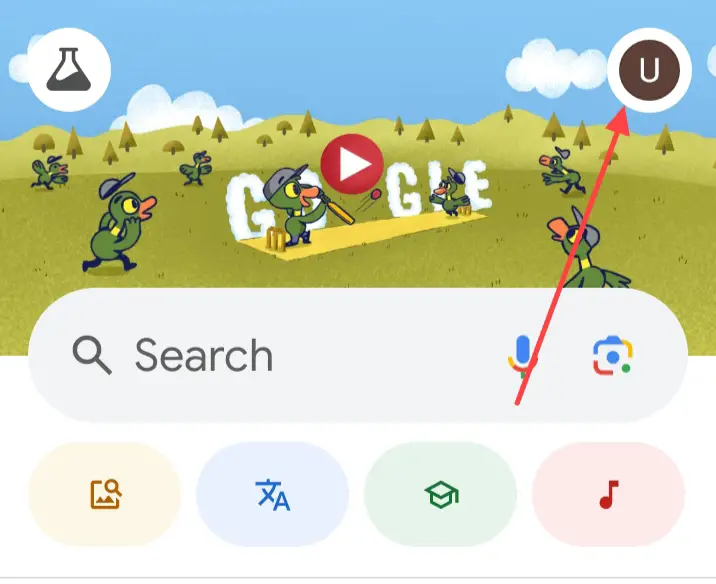
When you click on this icon, you see this type of interface and click on this.
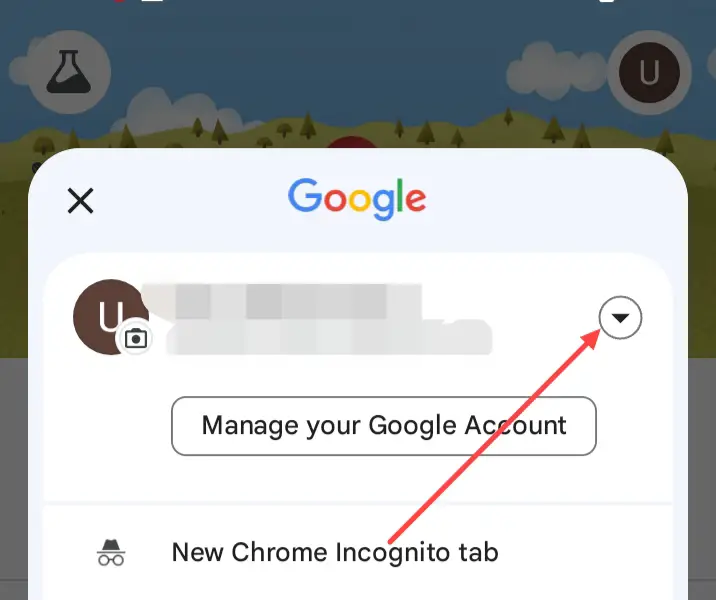
And click on the Add another account.
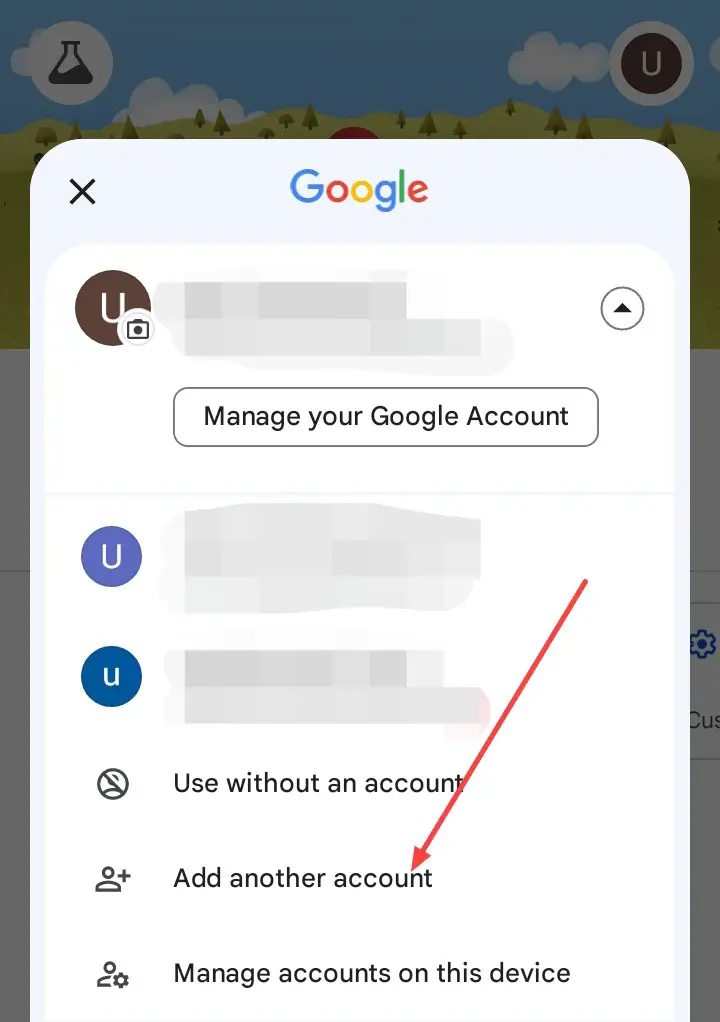
When you click on the add another account, maybe it can take password from your phone, but don’t worry, you give your password and continue, after these steps you see this interface.
Click on the Create account after click on For my personal use.
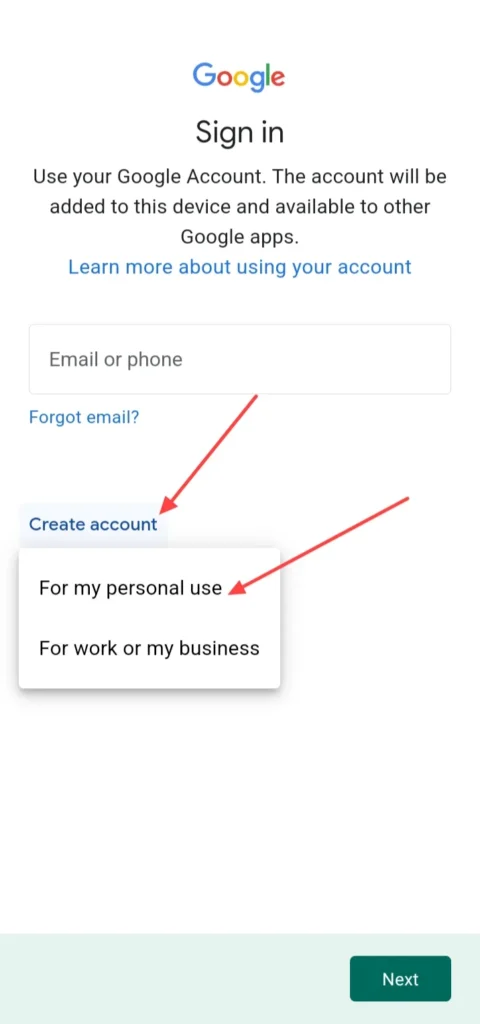
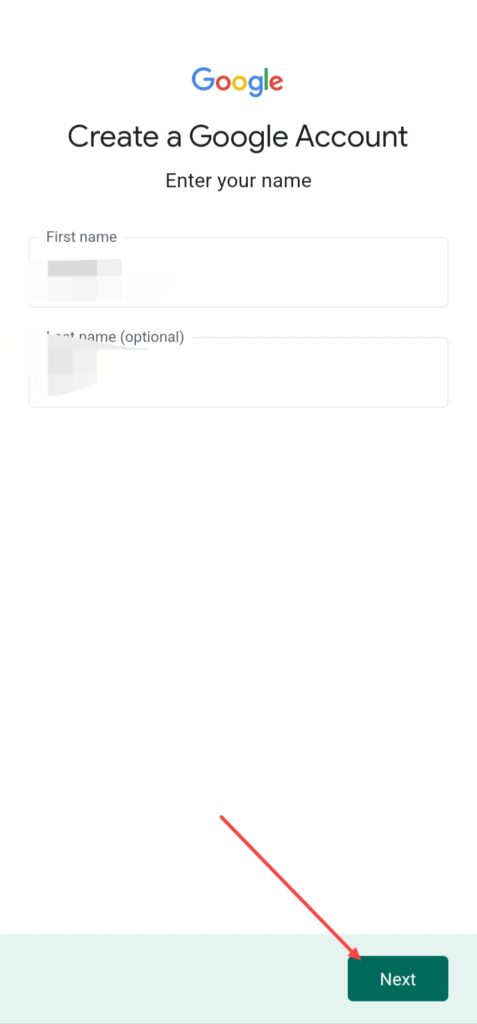
After clicking on For my personal use, you see this form, simply enter your first name and last name, but if you don’t want to add your last name you can skip this because it is optional.
After Filling this click on the Next icon.
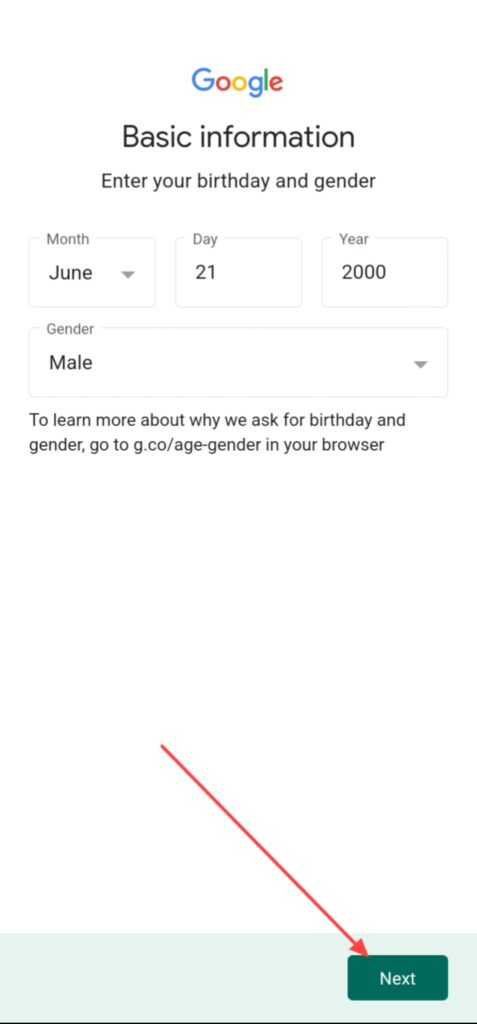
When you click on the next you have to fill up your birth date form and click on the Next.
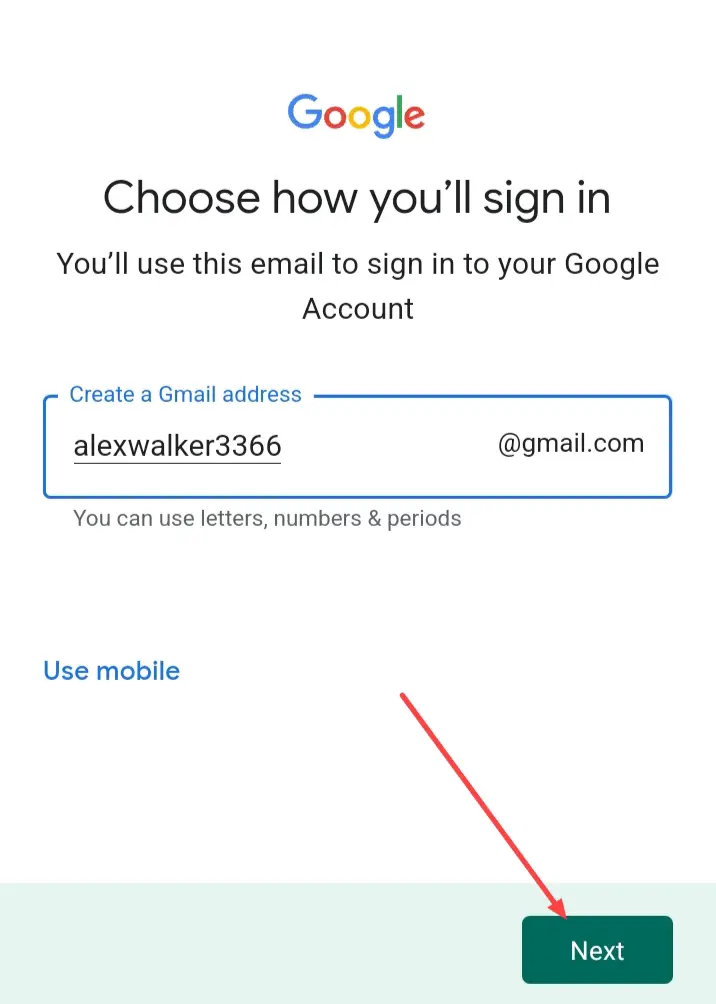
And create your Gamil address or Gmail Id like this and click on the Next.
It is the only for example.
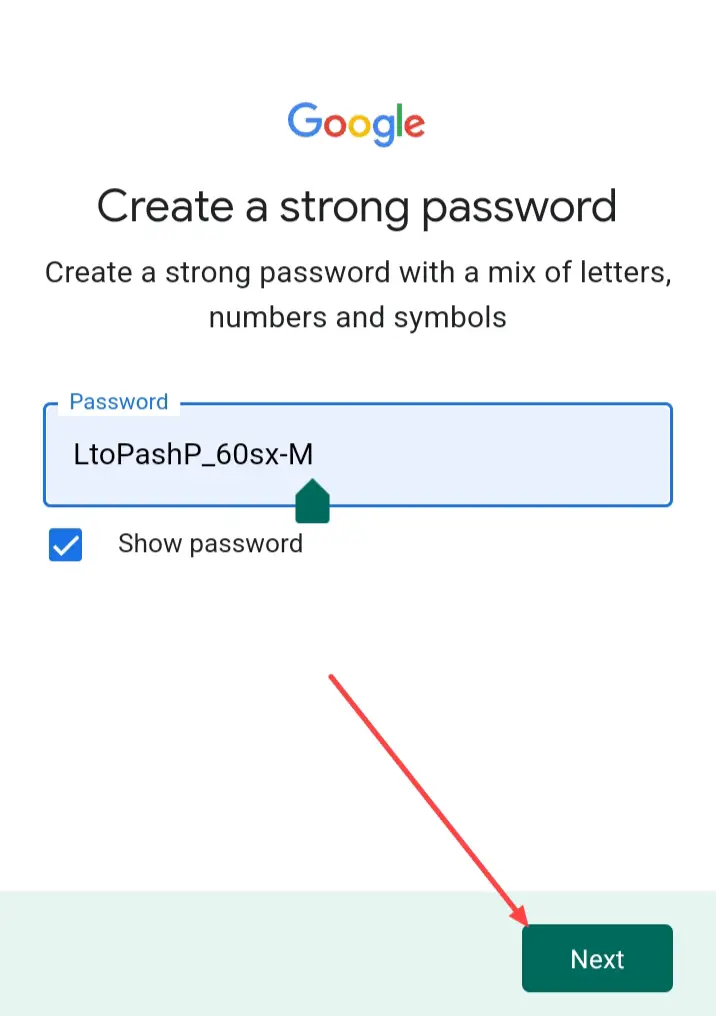
And add a strong password or you can use suggest strong password and click on Next.
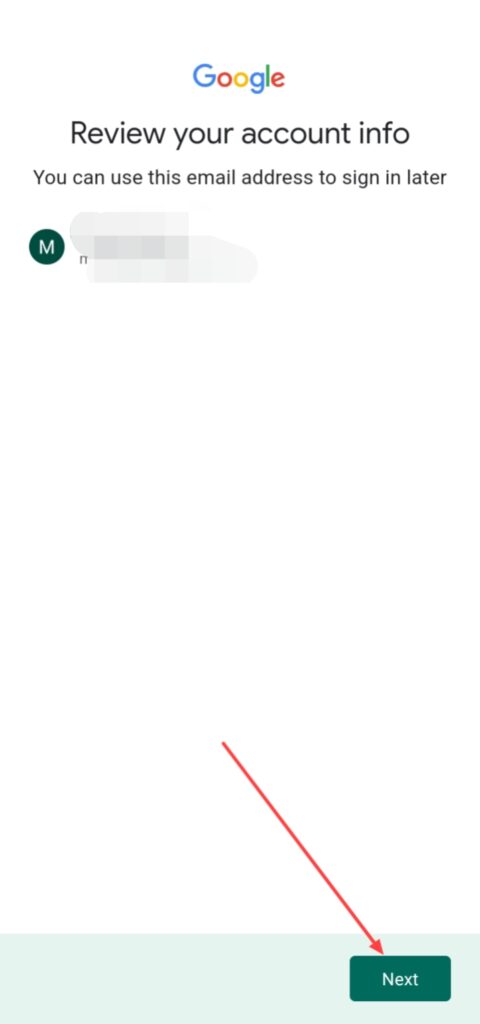
After doing these steps you can see your new Google account or email id and click on Next.
And click on I agree for accepting google policies, after some minutes of loading your google account is ready, you can see this account from your Gmail, YouTube, Google app or other google app.
How to Create Google Account from Web –
If you wanna create Google Account from help of your laptop or computer devices follow these steps –
First, Open any web browser in your device like Google Chrome, Microsoft Edge, Firefox or any other browser and open Google then you can see this type of interface like this image.
Click on this Sign in icon.
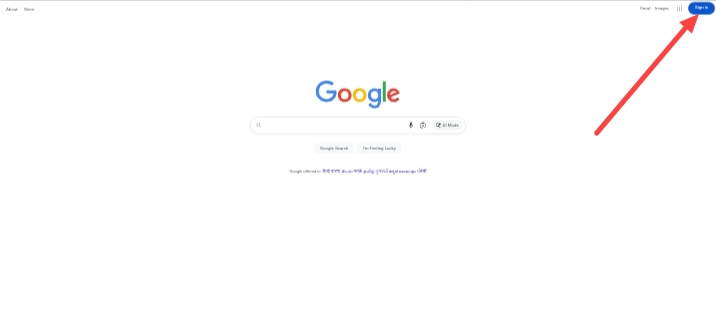
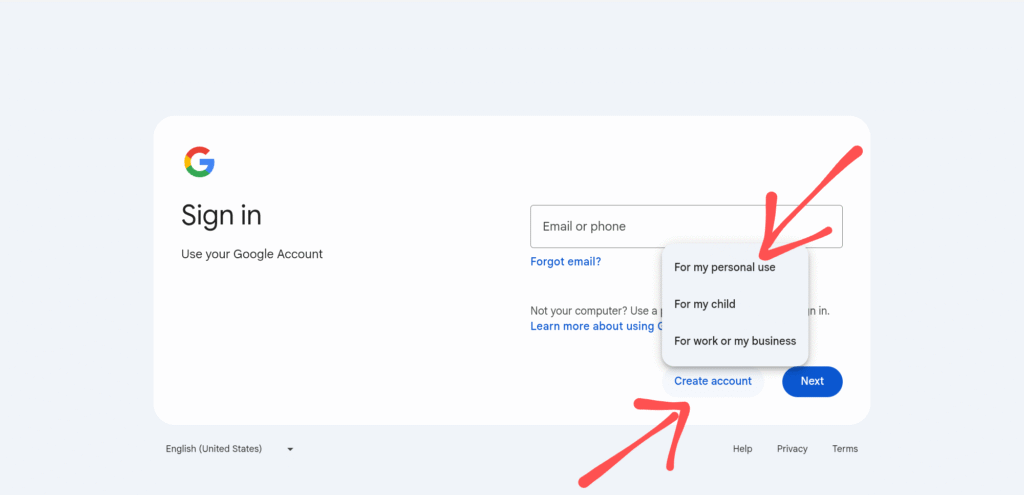
When you click on this Sign in icon, you can see this interface, first click on Create account then choose your purpose, thats means for which reason you create account, in this case we use For my personal use, then click on Next.
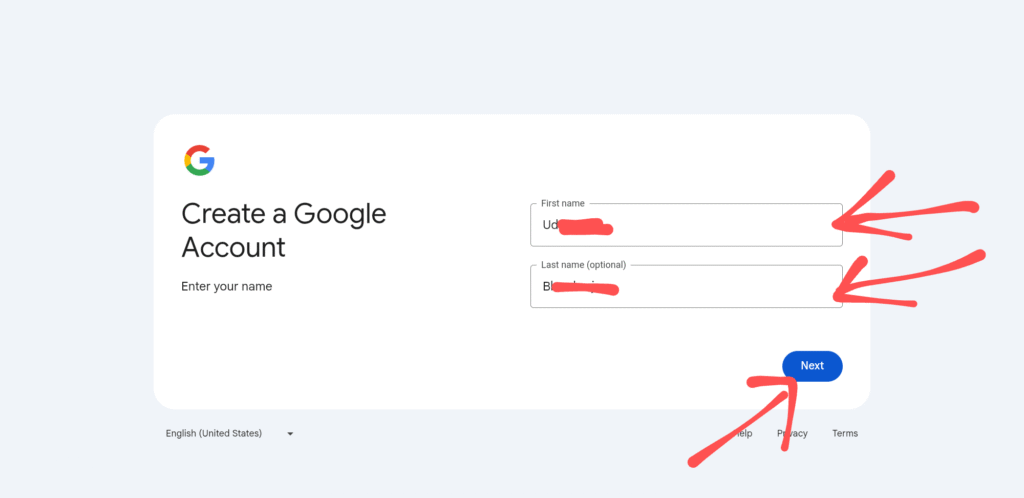
Add your First name and Last name, you can add only your First name because Last name is optional, then click on Next.
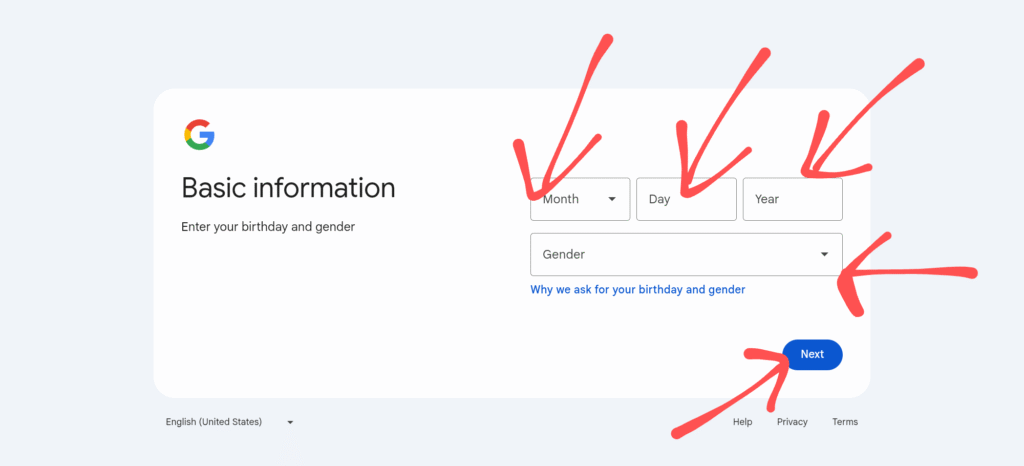
After this add your birth date like Month, Day, Year and Gender than click on Next.
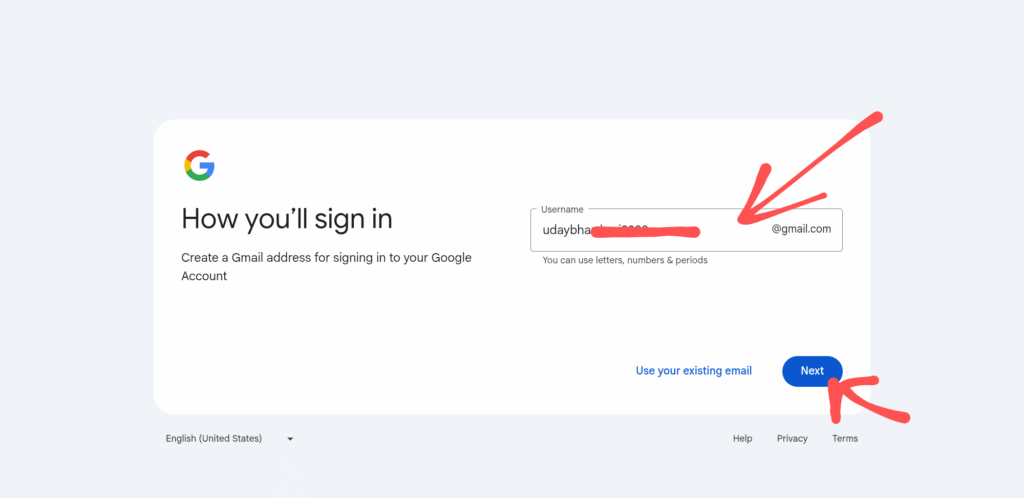
And Create a Gmail address according to your comfort or needs, than click on Next icon.
And the last step is Create a strong password for your Gmail account, first create a strong pasword and confirm your password than click on the Next icon.
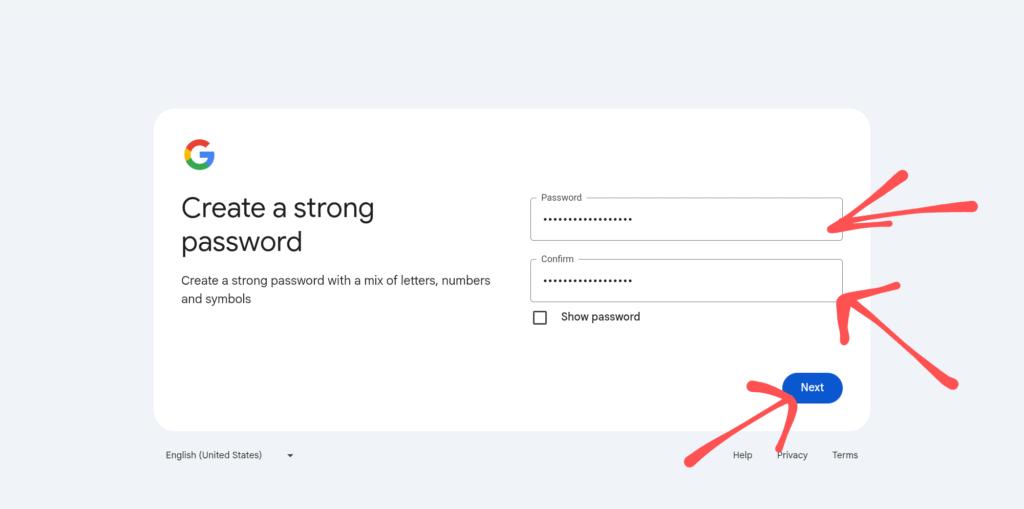
Finally, you can see your Google account or Gmail ID is ready, after this click on Next and click on I agree for accepting google policies, after some minutes of loading your google account is ready, you can see this account from your Gmail, YouTube, Google app or other google app.
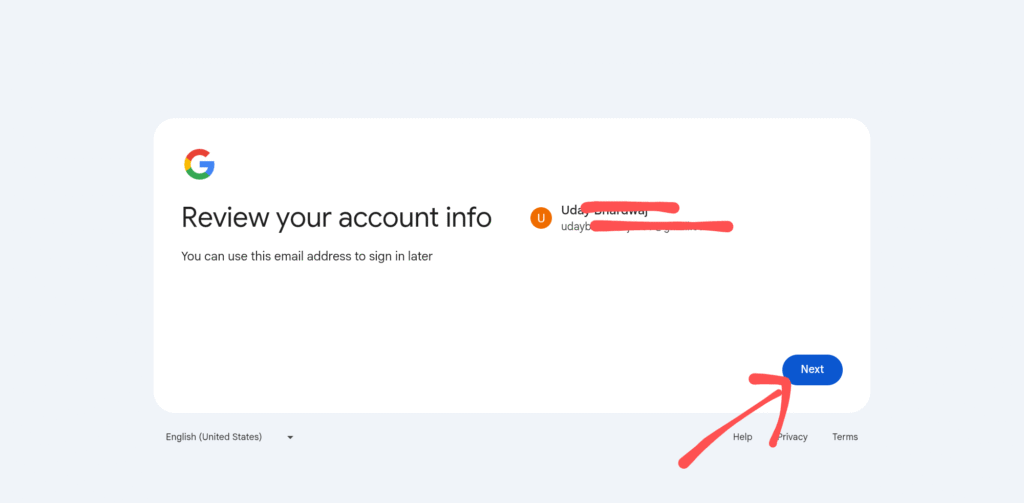
So, this is the step-by-step guide for how to you can create a new google account from help of your computer or laptop devices with using of Google Chrome, Microsoft Edge, Firefox or any other web browser.
FAQ –
Question ; Can I create google account without internet connection?
Answer ; No, You can’t create google account without internet or WiFi you need this one to create google account.
Question ; Can I Create google account without phone number?
Answer ; Yes, You can create google account without phone number, it is optional but if you can use phone number in google account it will be more safe.
Question; Can I Create another Google Account?
Answer; Yes, you can easily create a new another google account from your smartphone, laptop or computer without any restriction and problem.
Question; Can I change my Gmail address?
Answer; No, you can’t change or edit your Gmail address because it is not allowed in google, but you can create a new Gmail account.
Question; Can I delete my Gmail account?
Answer; Yes, you can delete your Gmail account, if you don’t need.
Conclusion –
If you wanna create a gamil account or google ID in desktop and smartphone device, its a same process but its depends on you which google app you use to create gmail, I hope it is helpful for you, if you’ve any question about this article or our website you can do comment or you can send email from our contact form.