
Everyones know about Snapchat because it is one of the most popular and useful app to connect peoples available billions of downloads on google play store, this popular social media app offers a story feature like other social media apps such as Facebook, Instagram, WhatsApp and other apps.
It is the very good and useful feature or you can called it best way to share or things you wanna show with your friends and family members but you don’t send them, in this situation you can use this powerful feature but it is visible for only 24 hours.
Thats helps you can encourage views, replies, and direct messages but you can also see who can sees your story almost everyone know about this story all features because maybe you daily use this feature.
But what if you post something by mistake or simply change your mind whether it’s a blurry photo, a snap shared too soon, or just something you no longer want visible, snapchat gives you full control over your story content.
But you don’t know how you can delete your snapchat story don’t worry, in this article i will share with how to delete snapchat story with step by step guide with mobile and web both ways so you can keep your profile exactly the way you want it.
Reasons Why You Wanna Delete Your Snapchat Story –
- Maybe, you share the wrong story or you made a mistake to uploading a Snapchat story on your account.
- Maybe, after sharing a story who reveals your personal information or more information than you are not comfortable for sharing, after this you will be required to delete your Snapchat story.
- Maybe, you accidentally upload the same story and maybe your content not suitable for your audience.
By the way, everyone have different reasons to delete Snapchat story, it is the only example.
How to Delete Snapchat Story –
If you wanna delete your Snapchat story from your smartphone device follow these simple steps –
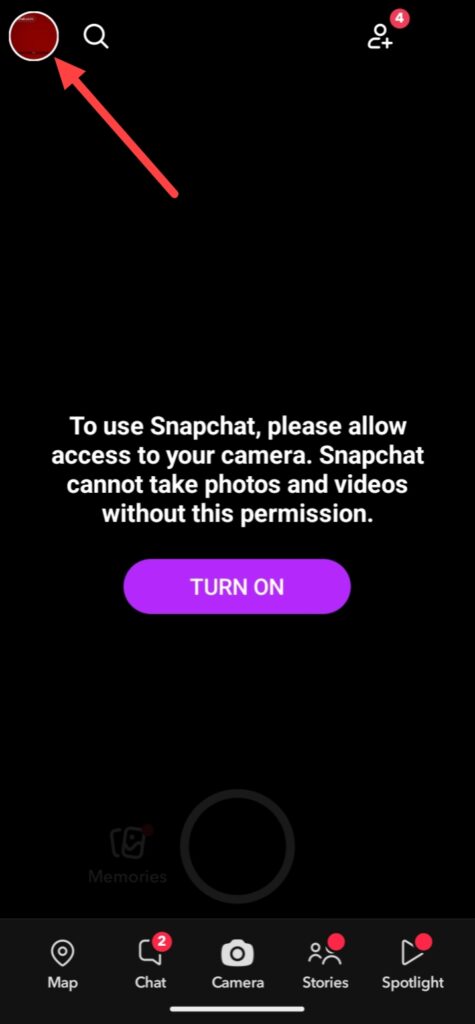
If you wanna delete your snapchat story or snap, first open your Snapchat app and click on the profile icon.
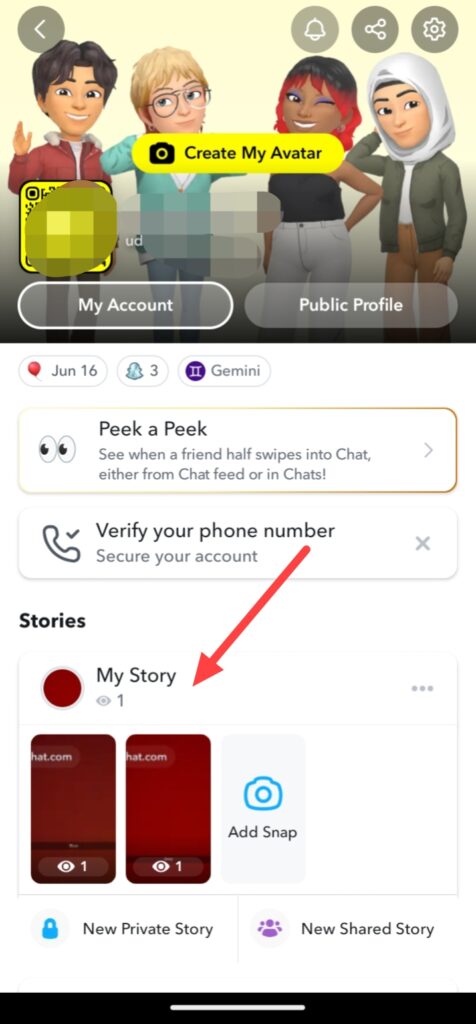
Then you can see your Snapchat account and click on My Story.
And you see your Snapchat story or snap, click on these three lines and you can see a Delete button click on this button, then you can see a popup click on Delete again.
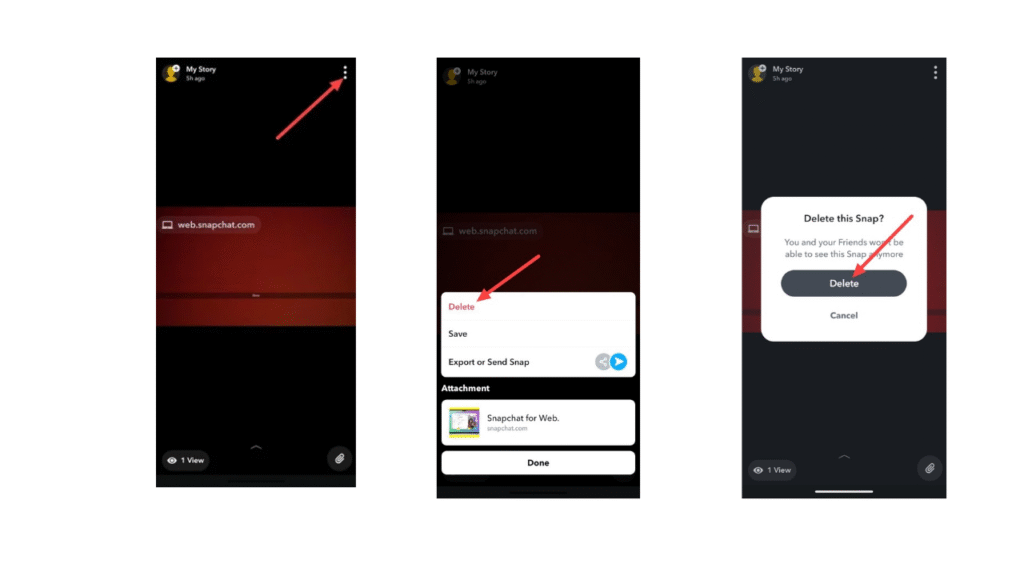
Finally, your Snapchat snap or story has been deleted.
So, this was the step-by-step guide for how to delete Snapchat story from help of your smartphone device.
FAQ –
Question; Can I see deleted Snapchat story?
Answer; No, you cannot see a delete Snapchat story, but if you wanna see a deleted Snapchat story create a highlight or save in memories before deleting your story.
Question; How to take a break from Snapchat without deleting an account?
Answer; If you wanna take break from Snapchat, you can do deactivate your Snapchat account because deactivation is the one of the most popular and useful features you can take break without losing your any data, but reactivate your Snapchat account before deadline.
Question; What does green dot on Snapchat mean?
Answer; The green dot mean on Snapchat is not the showing a person online presence because some peoples think this, the green dot is a privacy feature thats helps you can see a persons camera or microphone is in currently use.
Question; How long does Snapchat keep data?
Answer; Snapchat keep your data is only for 30 days because after 30 days your all data is deleted for permanent then you can’t recover your data, but maximum of social media apps keep your data only for 30 days.
Question; Is there a way to delete a Snapchat message?
Answer; Yes, you can delete your Snapchat message, simply press and hold a message which you wanna delete then you can see a delete button simply tap on this button, your Snapchat message is deleted, but if you need clear guidence you can get from this article.
Conclusion –
In this article i teched you how you can delete your Snapchat story, i hope you easily understand how you can delete your Snapchat story, because this was the full step-by-step guide, if you’ve any question about this article or our website you can ask in comment section.