
Login and logout is the most important for all apps and websites because login and logout is work like a room door lock when you enter a room you use key to open lock and when you go from room you lock the door with using key.
Login is important but logout is also important than login, if your Snapchat account is important for you, you need to always logout feature and you don’t need to save your password in your account or device because it is not good for your important account and data.
Almost everyone knows who you Snapchat or any other apps or website, what is the importance of logout, how they can make safe your account after logout and without saving your Snapchat account password in device or Google account.
Logging out just pauses of your Snapchat activity and it doesn’t erase anything from your Snapchat account, so on’t think about this negatively, because some peoples think why i do logout our Snapchat account because after this before using Snapchat account they need to enter their account username and password.
But some peoples are lazy they can’t wanna do this step, they save their passwords in device or Google account, but it is completely depends on you, you wanna logout you Snapchat account or not.
If you don’t know how to logout Snapchat account don’t worry, in this article I will guide step-by-step with full process, if you wanna logout your Snapchat account you can read this article.
What Happen When you Logout your Snapchat Account –
- When you logout your Snapchat account your all account activity will be paused but it doesn’t mean your account data will be deleted, it is safe.
- After logout from Snapchat you will be not able to see, send or receive a new message, because it is only possible after login.
- And also after logout you cannot receive a any new notifications about new snaps, chats and stories.
So, these are the some points of what happen when you logout your Snapchat account, i know logout is a simple process and, almost everyone knows about this.
Read Also – How to Login Snapchat Account
Read Also – How to Unblock Someone on Snapchat
How to Logout Snapchat Account –
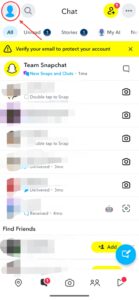
If you wanna logout your Snapchat account from help of your smartphone, first open your Snapchat app then click on your profile icon.
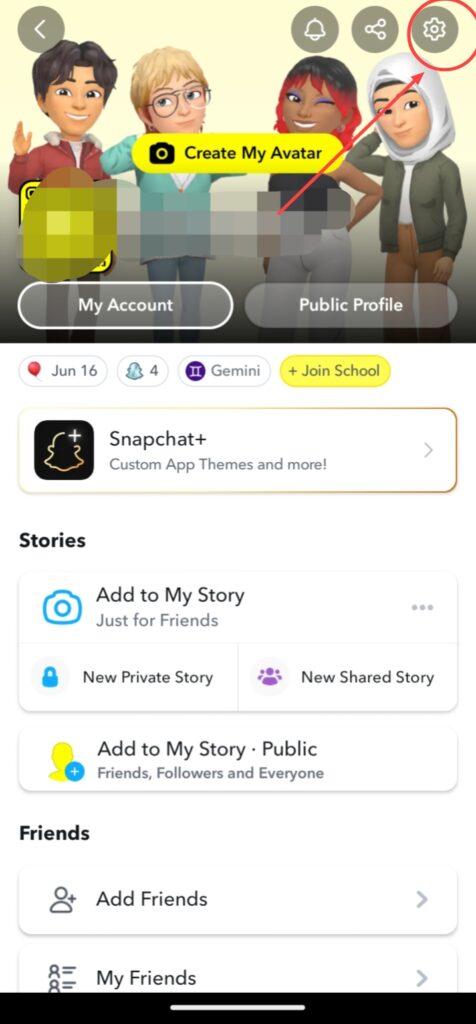
Click on Settings option.
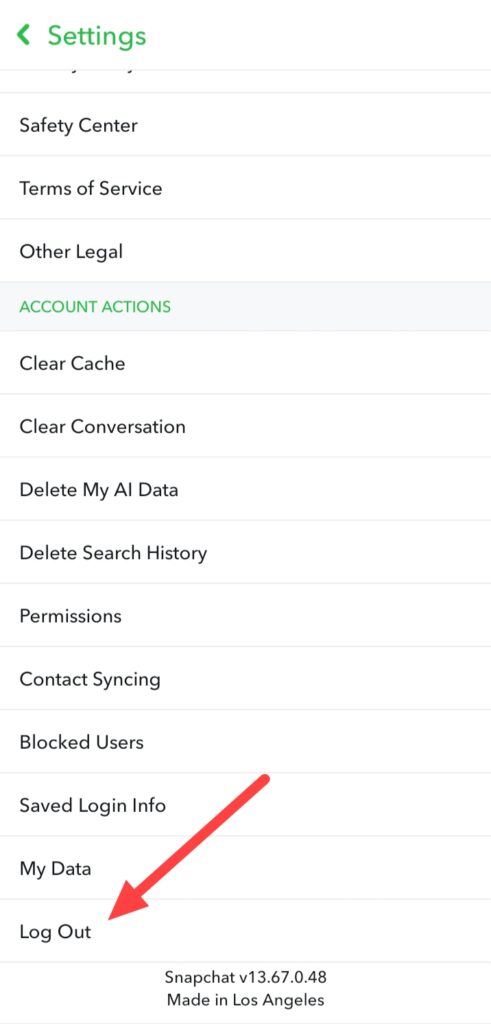
When you click on Settings option after some scrolling you can see a Log Out option, simply click on this.
After clicking Log Out, you can see a popup, simply click on this Log Out option.
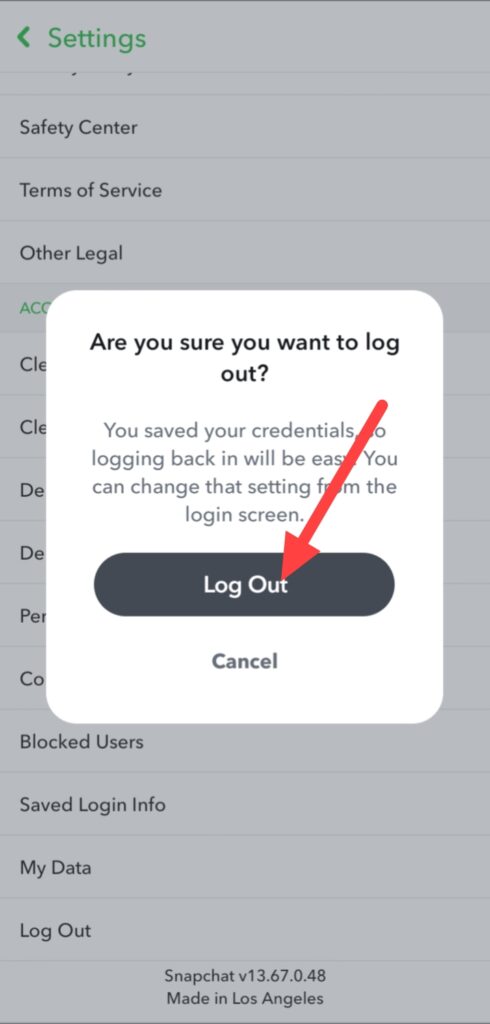
Finally, your Snapchat account is logout, if you wanna use your account again you need to login your Snapchat account.
FAQ –
Question; Can I temporarily deactivate my Snapchat?
Answer; Yes, you can do this work easily from help of this article but reactivate your Snapchat account before 30 days because after 30 days your Snapchat account is permanently deleted.
Question; When you log out of Snapchat can you see their location?
Answer; No, when you do logout from your Snapchat account, not anyone can see your location because Snapchat is only update your account location when you use Snapchat app actively.
Question; Does deleting Snapchat log you out?
Answer; No, when you delete your Snapchat app thats not means you logout your Snapchat account, deletion and logout Snapchat account both are different.
Question; Why can’t I log into Snapchat?
Answer; If you can’t login in your Snapchat account, check your username or email and password it is right, if it is wrong you can’t login you account but you forget your Snapchat account password simply click on forget password then you can set a new password.
Question; What happens if you log out of Snap?
Answer; When you logout your Snapchat account your all account activity will be paused but it doesn’t mean your account data will be deleted, it is safe.
Conclusion –
These are the all process of how to logout Snapchat account with using smartphone device, i hope you understand this step-by-step guide easily, even also I explained with you what happen when you logout your Snapchat account.
If you have any questions about this article or our website you ask in comment section or you can ask from filling up our contact form.