
Blocking someone on Snapchat is a quick and effective way to stop all communication from that person, if you blocked a person, they will no longer be able to view your accounts stories, they can’t send you Snaps or messages, or even find your profile in search results, it’s a useful feature that gives you full control over who can reach you and what they can see.
Because blocking someone is the best way to avoid unwanted interactions and protect your privacy. However, when you change your mind you can or maybe you make a mistake of blocking someone on snapchat, you can also give a chance after unblocking them.
Snapchat this unblocking process is easy, if you change your mind and you wanna reconnect a person on Snapchat who you blocked, but you don’t know how to unblock someone on Snapchat.
Don’t worry, in this article I will share with you a step-by-step process of how you can unblock a person who you blocked in past on Snapchat.
What is the Difference Between Block and Unblock –
Block – When you block a person or any other things, thats means you block all communications, interactions, messages, access even your can’t see their contact, means your all connections are blocked or ban, your and a person who you blocked, maybe you and them have some limitations or no any limitations only all things are blocked.
Unblock – When you unblock someone, thats means you give a chance of reconnect a person who you blocked in your past, it is possible you blocked by mistake or it is possible any other reasons, unblocking means you allowed a person who can do with you communications, interactions, messages even they can do contact you.
Read Also – How to Block Someone on Snapchat
Read Also – How to Deactivate Snapchat Account
Read Also – How to Delete Snapchat Account
How to Unblock Someone on Snapchat from Phone –
If you wanna unblock someone on your Snapchat account follow these step-by-step process, first open your Snapchat app, then go to the profile.
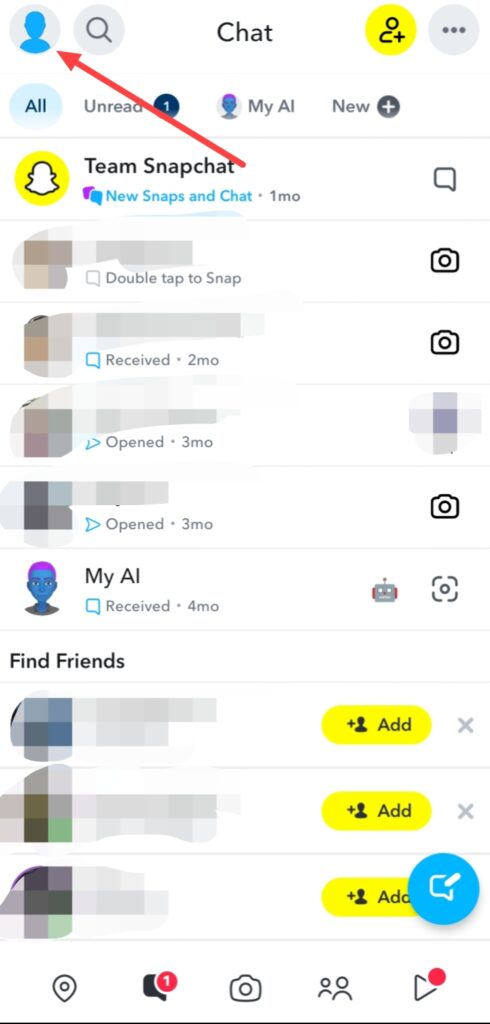
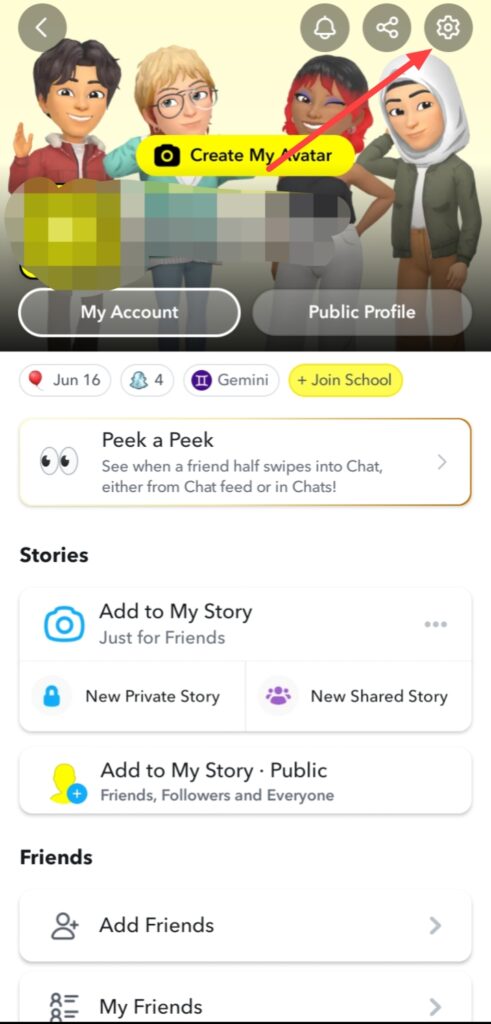
Go to the Settings.
Then you can see a option of Blocked Users after some scrolling, simply click on this.
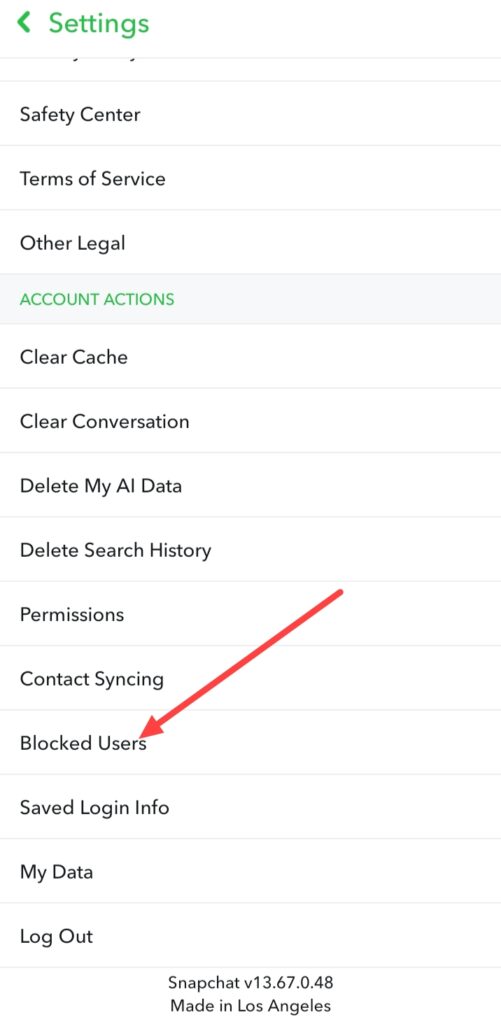
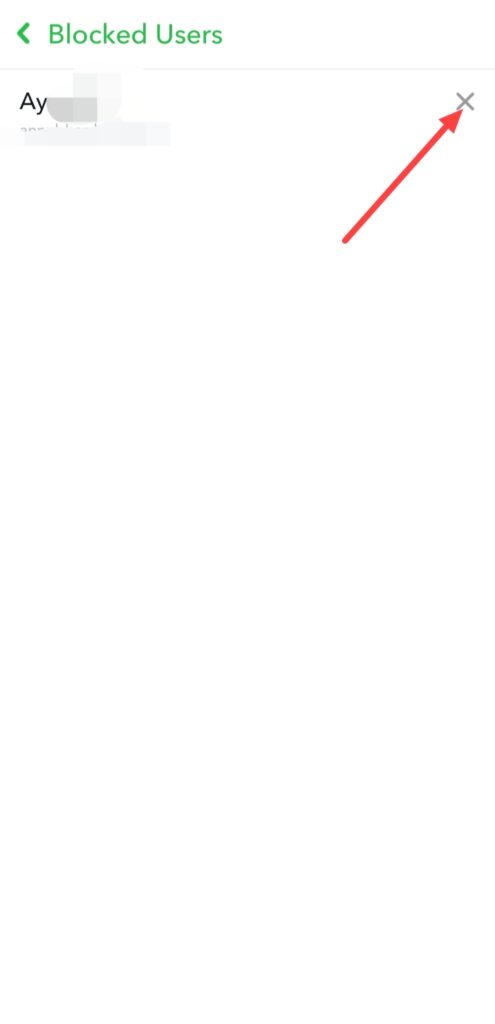
When you click on this option you can see a list of users who you blocked on your Snapchat account, if you wanna unblock any user, click on the cross ❌ icon.
When you click on this cross ❌ icon, you can see a popup, click on Yes.
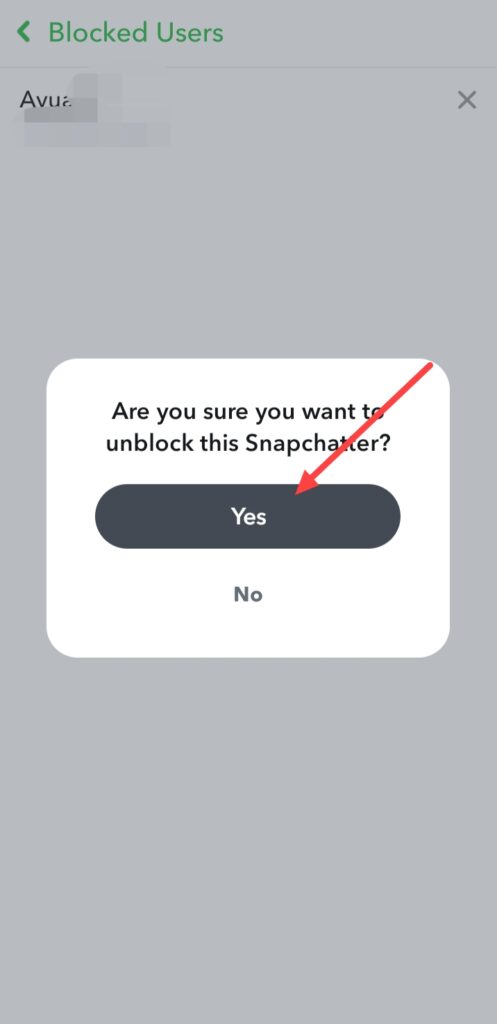
Finally this user is unblock on your Snapchat account, you can do again your chat or conversation with this person.
FAQ –
Question; How to see if someone blocked you on Snapchat?
Answer; If you wanna know someone blocked you, you can search a person profile who blocked you on Snapchat, when their person profile is appear thats means they not blocked you but if Snapchat profile is disappear thats means maybe they blocked you, by the way more ways are available to check this.
Question; What happens after I block someone on Snapchat?
Answer; When you block someone on Snapchat account they can’t send you snaps, messages, they can’t able to view your Snapchat account story even they can’t see your profile information after blocking.
Question; Can I unblock someone on Snapchat?
Answer; Yes, you can easily unblock someone on Snapchat who you blocked in your past because you have some reasons.
Question; Can I remove a friend on Snapchat without them knowing?
Answer; Yes, when you remove a friend from your Snapchat account friends list, they can’t receive any type of notification, but when they not find you in their friends list then they know removed them from your Snapchat account friends list.
Question; Do people know when you block them?
Answer; No, if you block someone from your Snapchat account, they not take any type of notification of blocking.
Conclusion –
In this article i provided you all information of how to unblock someone on Snapchat, available guide from help of your smartphone, i hope you easily understand this step-by-step process, if you’ve any question about this article or our website you can ask in comment section.
Read Also – How to Share Location on Snapchat
Read Also – How to Create Snapchat Account
Read More – How to Delete Snapchat Messages
Read Also – How to Login Snapchat Account
Read Also – How to Logout Snapchat Account